
Cortex Notifications should always be turned on, as they are an important part of Care Co-ordination when working in Cortex. If you are logged into or did not sign out from Cortex, you will be able to receive notifications.
To check and allow Cortex Notifications, go to
- Settings > Cortex > Allow Notifications
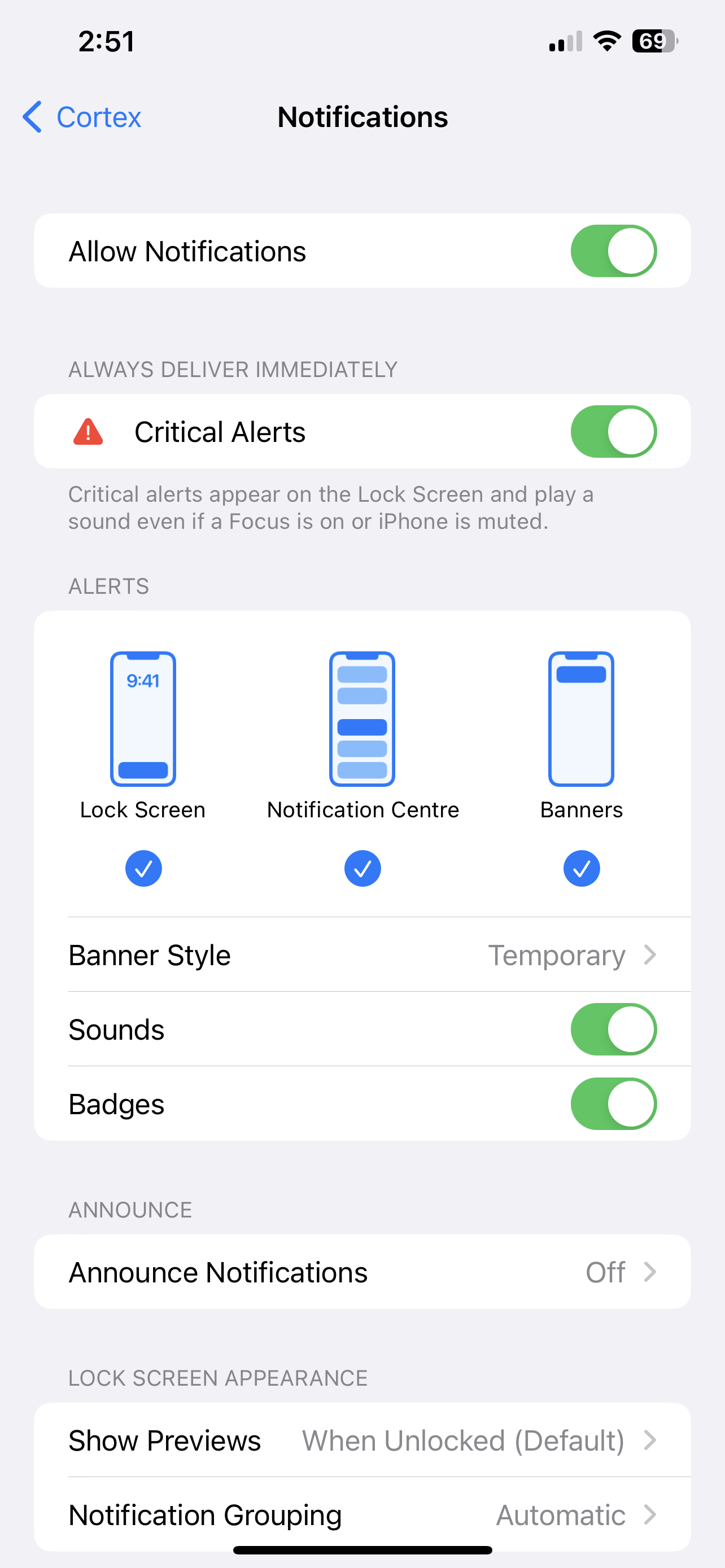
How are notifications displayed?
- If you are working within Cortex at the time of a notification coming through, it will be added to your ‘Notifications’ box
- If you are not in Cortex, you will receive a pop-up notification on the front screen (No patient information is displayed)
Notifications will come through for the following reasons:
- You have been delegated a task
- You have been @mentioned in a comment related to a task
- You have selected to receive a notification when task completed
- Under Cortex Profile ‘Settings’ you have subscribed to Notifications e.g. New Ward Round Notes (Watched patients only), New Radiology Results, New COVID-19 results
Notifications will continue so long as you are logged in to Cortex, no matter your status in the Circle of Care
You will stop receiving notifications if:
- You sign out of Cortex
- Someone else signs in on the device you were using
Hot Tip:
- You can receive Cortex notifications on your Apple Watch if you turn this on in Apple Watch settings.