
Once a Clinical Note has been signed it is not longer able to be edited.
There may be circumstances where adding an addendum to a signed note is required, including:
- Additional documentation required
- Correcting a minor error in a Clinical Note
- Note was not signed on day and time of creation
Adding an Addendum to a Clinical Note
- Tap on note that requires an addendum to be added
- Tap on action menu button (bottom right), Tap 'Add Addendum'
- Document additional information and once finished, Tap 'Save'
- Tap 'Save & Sign'
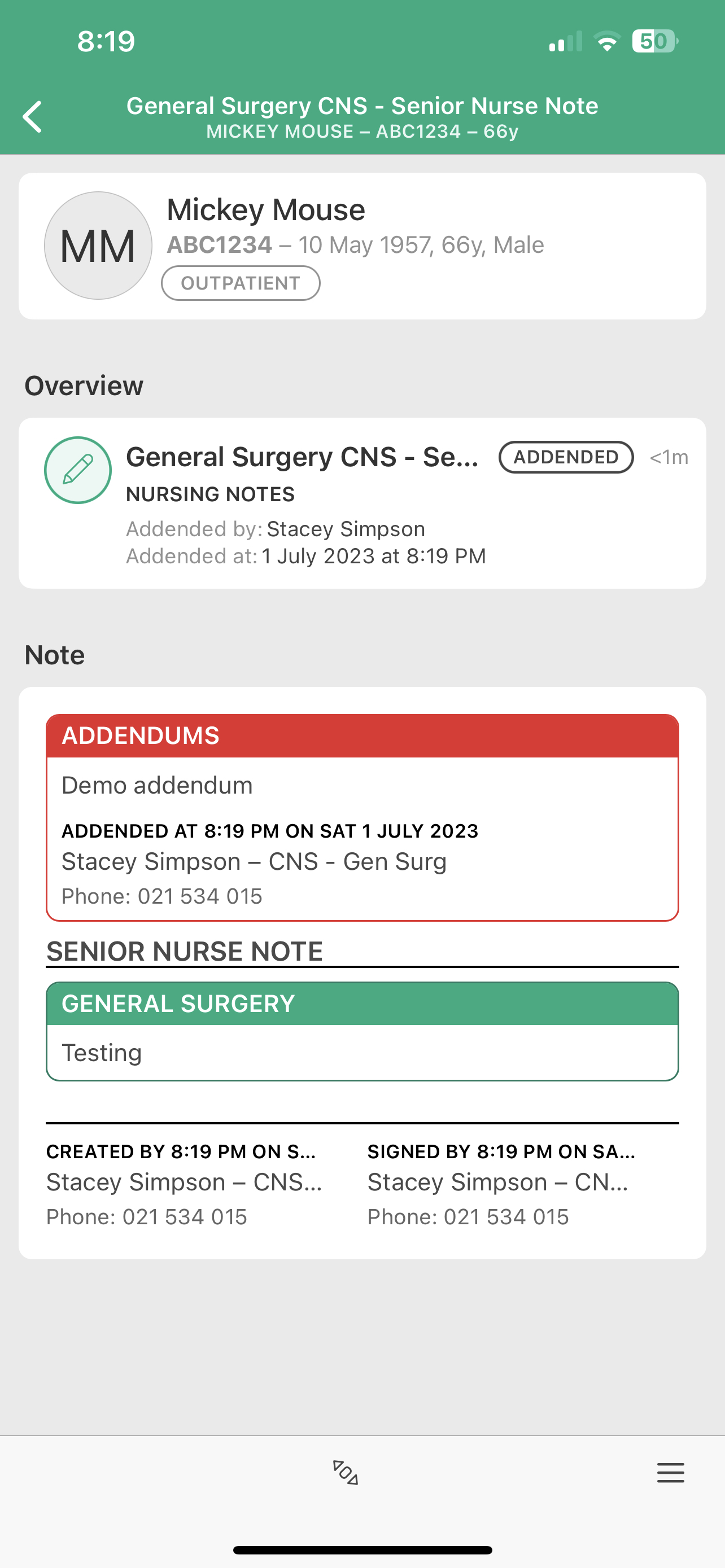
Addendums will be placed at the top of saved Clinical Note
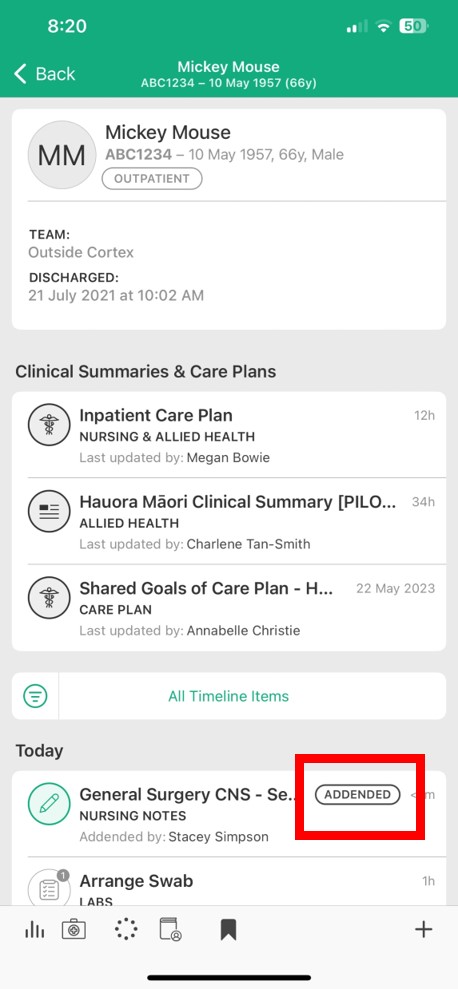
Identifying notes with an Addendum in the Cortex timeline
NOTES:
- Notes with addendums will continue to sit within the Cortex timeline at the time the Note was initially signed, not when the addendum was added.
- Addendums should not be used for new patient interactions or to document significant changes in impression or plan.
- Please consider informing members of the Clinical Team about the addendum if relevant to them.