
If you are part of the Health Care team and involved with a Consult Team the most convenient way to maintain an up-to-date list of patients being reviewed is by Joining that Consult Team.
Consult Teams are easy to join and patient lists are straight forward to set up and can be updated whenever required.
To add a Patient to a Consult Team patient list
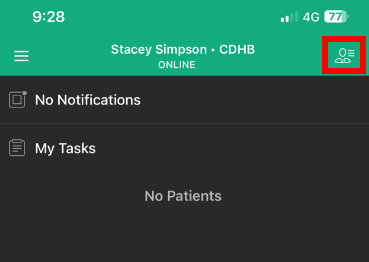
- Tap the "Manage my Patients” icon in the top right corner of the home screen.
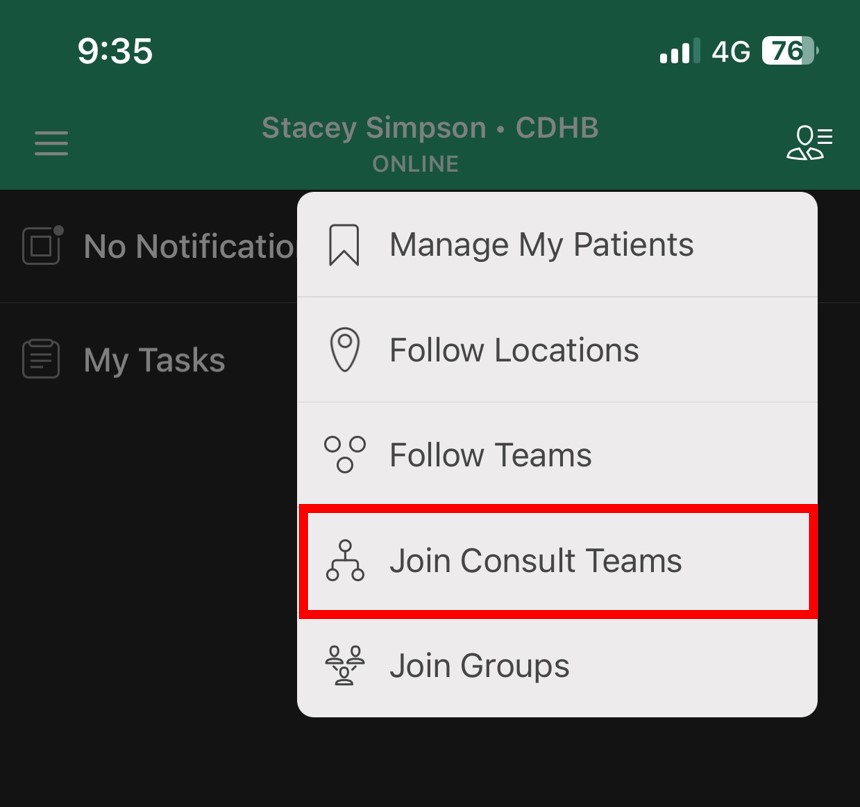
- Tap 'Join Consult Teams'
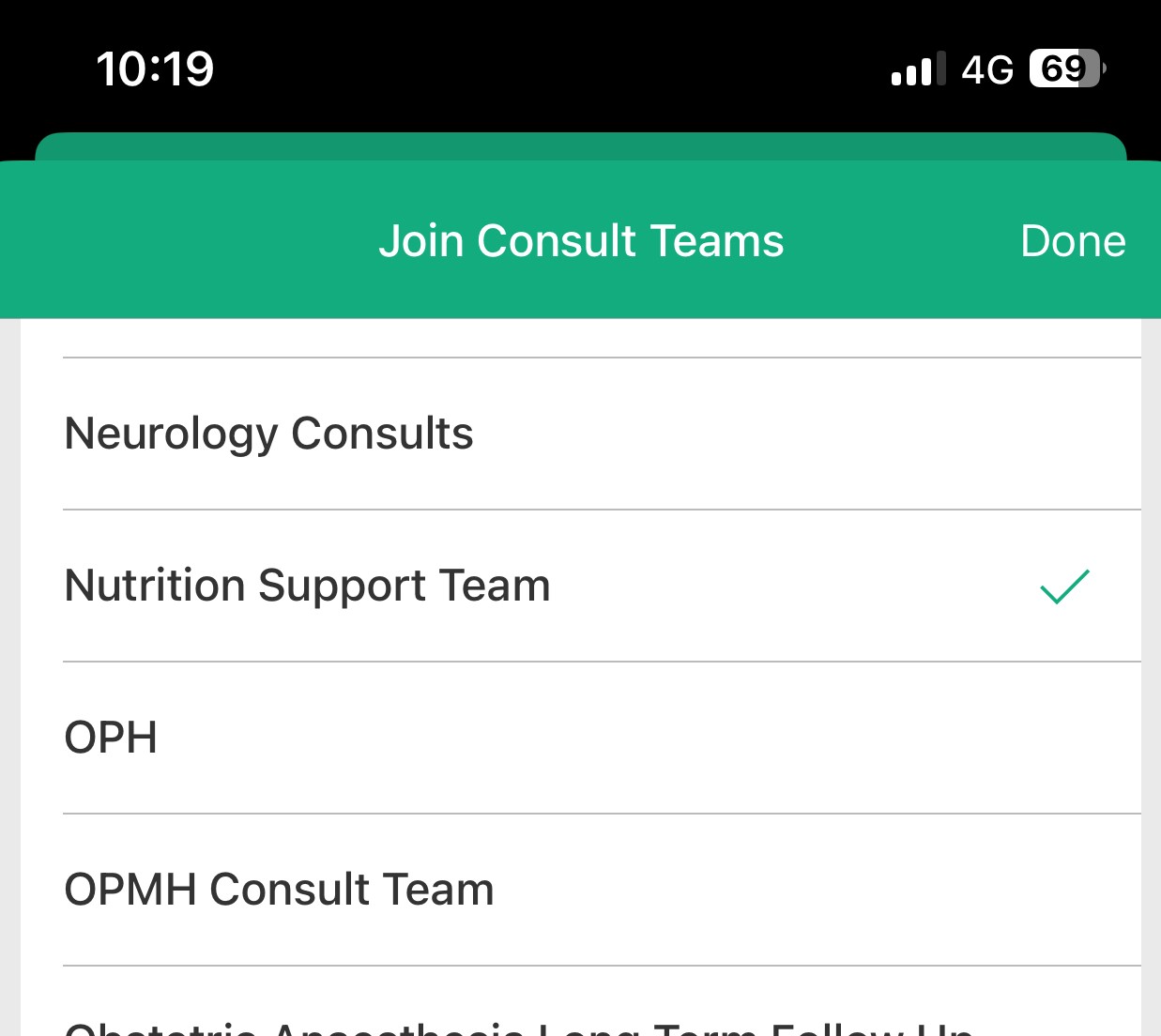
- Tap to select the Consult Team you wish to join, then Tap 'Done'
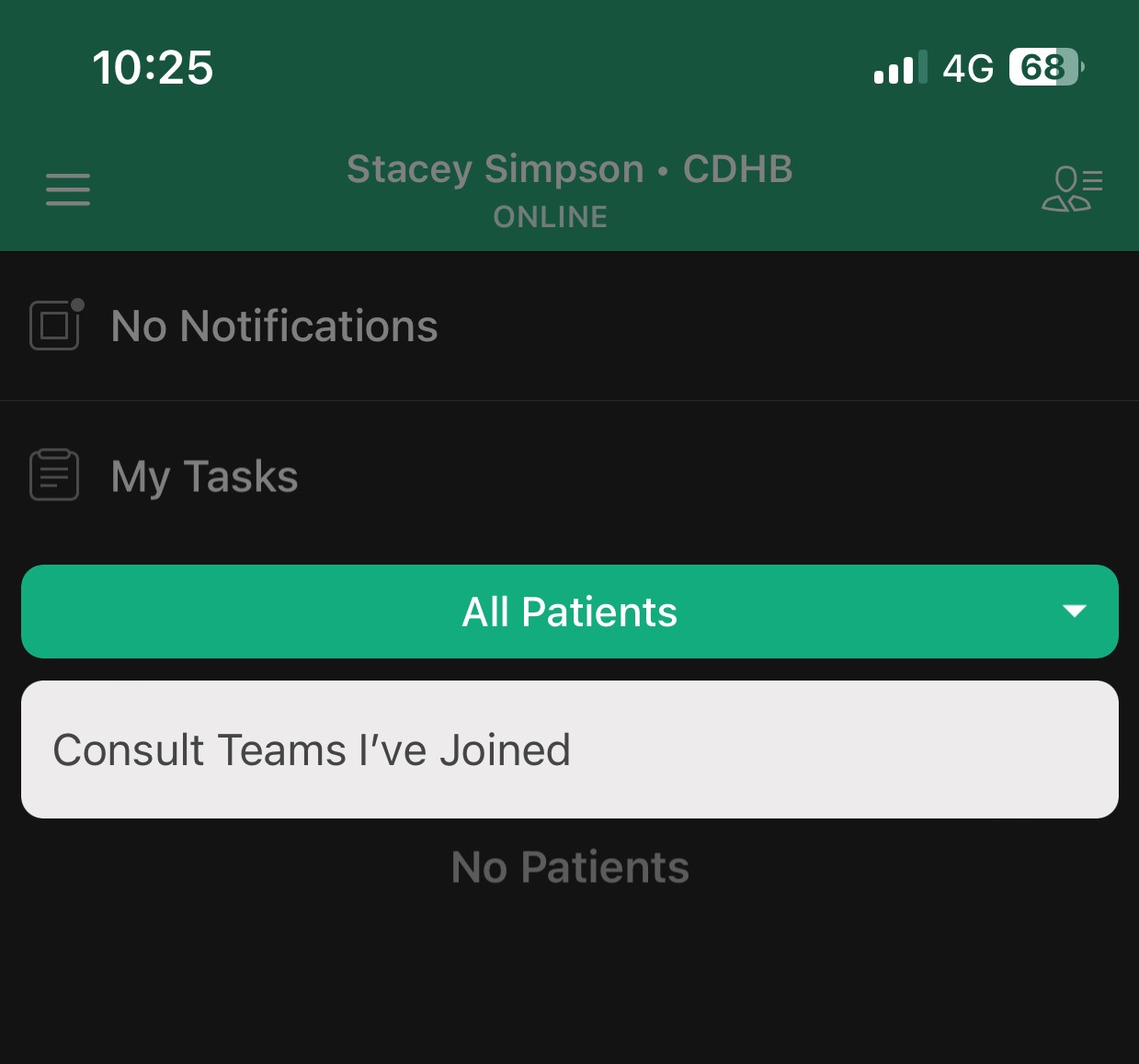
- Tap on Patient View Filter and select 'Consult Team I've Joined'
Note:
- Patients need to be manually added and removed from a Consult Team patient list (it is the responsibility of the members of the Consult Team to ensure the patient list is up to date)
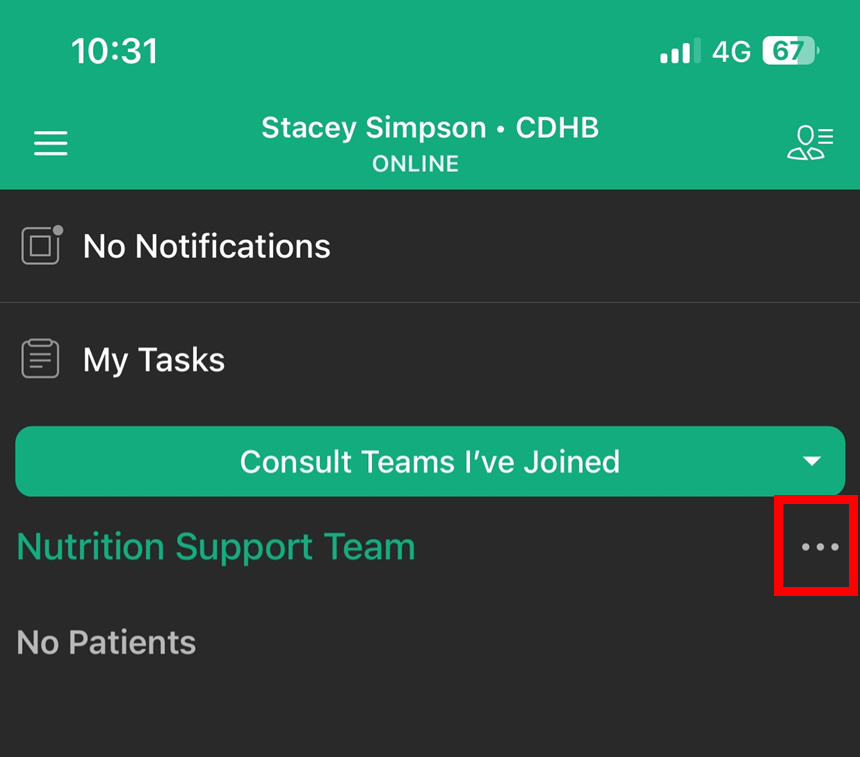
- Tap on the three dot icon to the right of the Consult Team name to add or remove patients
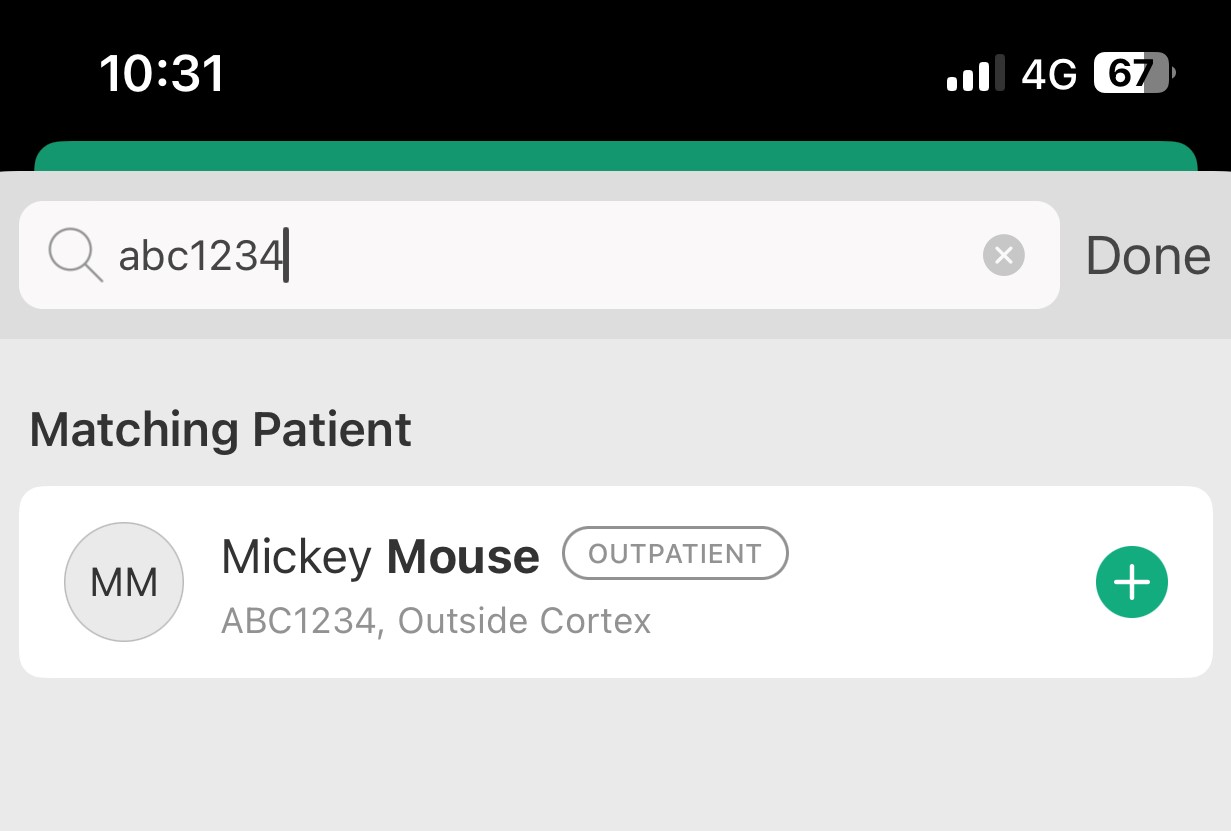
- Search the patient you wish to add to Consult Team list by entering NHI and Tap on + sign to add
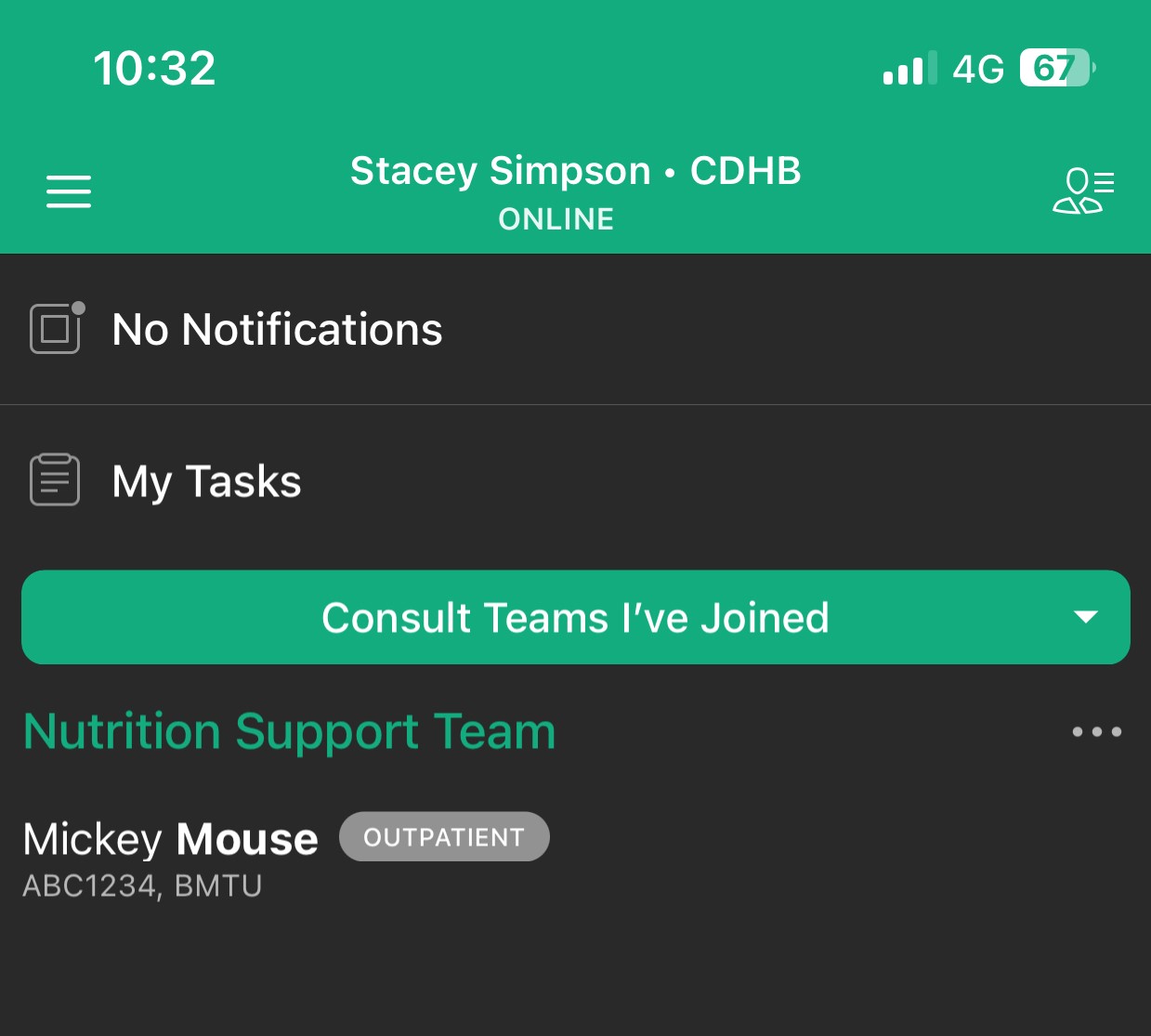
- The patient will now appear under the Consult Team
To Remove a Patient from a Consult Team list
- Tap on the x icon beside the patient's name, Tap 'Done'