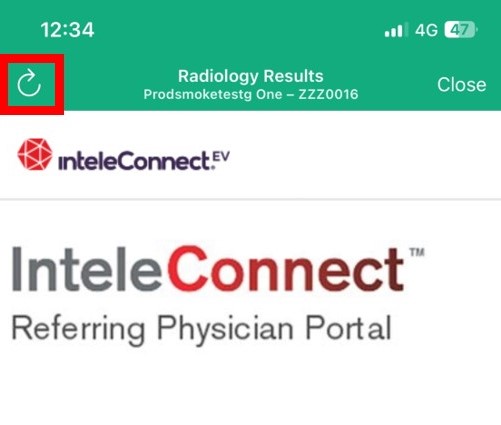
Opening Intelerad via Cortex is easy, no re-entry of login or password required
To access Radiology Results and Images via Cortex you will need an individual PACS account created and have your PACS account information updated in your Cortex account.
(Please note: If you experience a spinning/loading wheel when trying to access Radiology Results and Images via Cortex it is usually do to your PACS account not being set up)
To do this you will need to do the following:
- If you do not already have a PACS account you will need to send a request via email to PACS@cdhb.health.nz to have an account set up
- Once you have your PACS username, send a request via email to Service.Desk@cdhb.health.nz ‘Please add my PACS username to Cortex’
(Please note: It may take up to an hour before access begins to work)
To view Radiology Results and Images via Intelerad
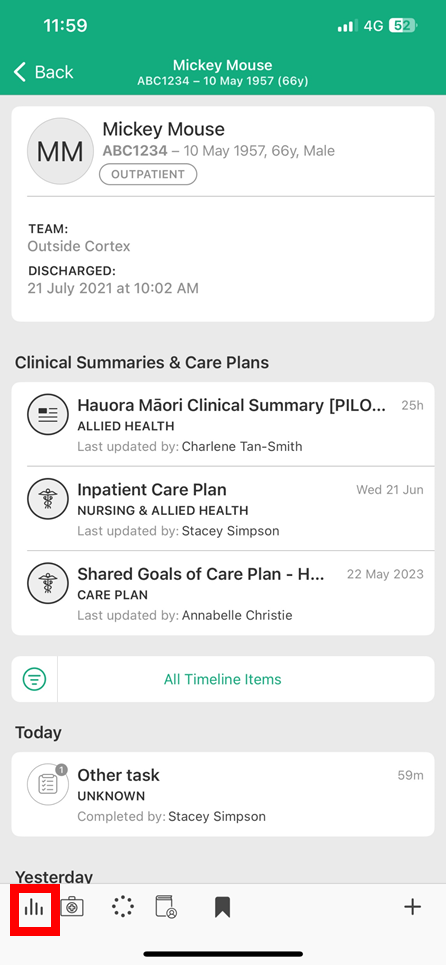
- Simply Tap on the Graph icon at the bottom left of the screen
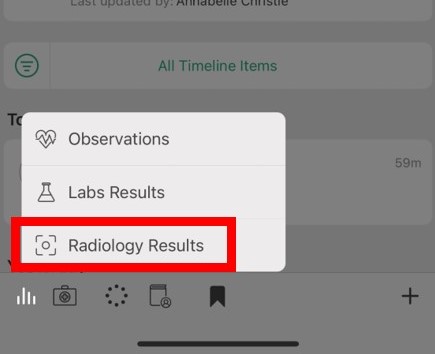
- Then Tap on Radiology Results to launch Intelerad in patient context
Note:
- If you are having issues launching Intelerad from within Cortex please contact your organisations IT help desk to resolve.
- If you are accessing Cortex from a BYOD device and you are having issues loading Intelerad, check Cortex has been installed with organisation requirements (see: Install Cortex article)
- If you are presented with the below screen, Tap the Back icon to resolve