
The following NHI numbers should be available in Cortex as test patients. These are approved for testing.
- ZZZ0016
- ZZZ0024
- ZZZ0032
- ZZZ0059
- ZZZ0067
- ZZZ0075
The demographics of these patients can be changed so if you need a specific type of patient for testing please email Debbie Beasley to request this - Debbie.Beesley@cdhb.health.nz
You can add them through 'Manage My Patients' and Searching for an NHI.
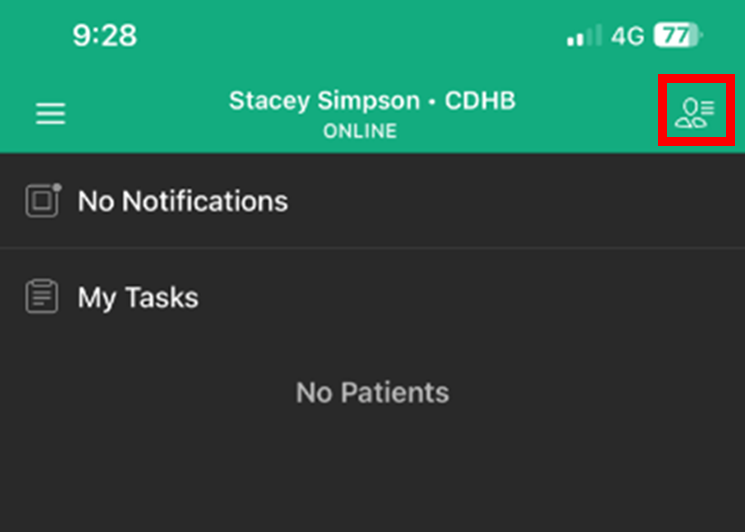
- Tap the "Manage my Patients” icon in the top right corner of the home screen.
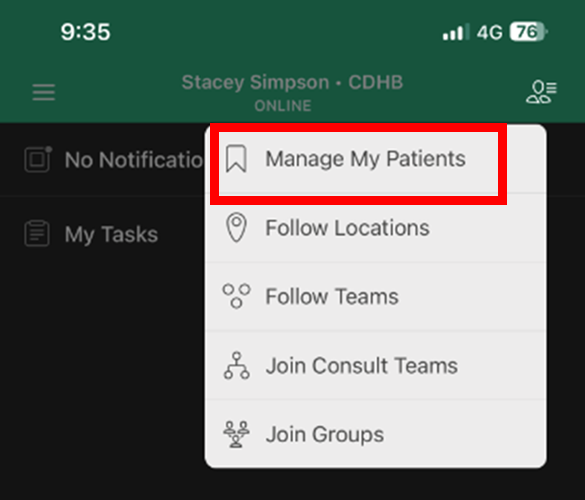
- Tap 'Manage My Patients'
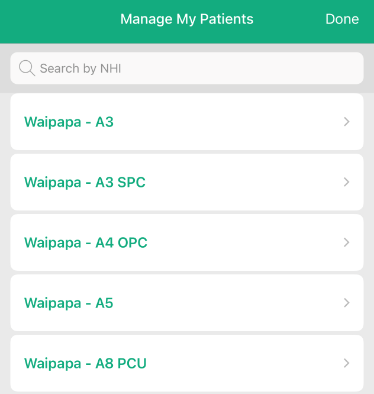
Search by NHI
- Enter full NHI into Search bar
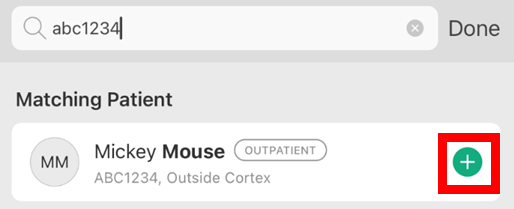
- Patient should appear for selection
- Tap Green + button beside the patient
- Tap 'Done'
- Test patient will now be visible under Patients Filter Tab in Cortex Home View